

You want to start the analyzer program directly from the Ubuntu Unity launcher and remove the analyzer start icon from the desktop. The problem: You can 'lock' the icon in the launcher by right click the icon there when the analyzer application is running. But as soon as you remove/delete the start icon from the desktop, the analyzer icon in the launcher disappears again because it doesn't find it's target link anymore (the removed start icon on the desktop).
Solution
- Open the analyzer installation folder

- Start the analyzer program by clicking the analyzer icon in this folder
- Right-click the analyzer icon in the launcher and select 'lock to launcher'
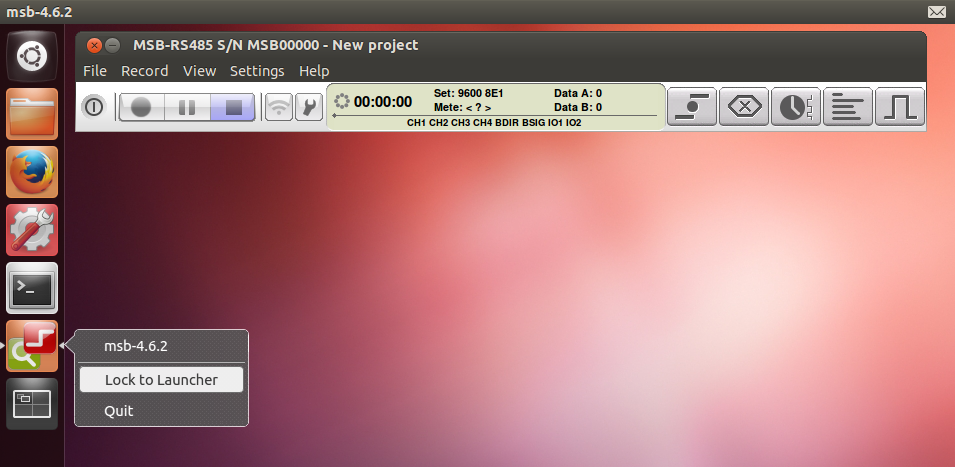
Now you can remove the msb icon from the desktop and start the analyzer program directly in the launcher.